В категории материалов: 23 Показано материалов: 1-10 |
Страницы: 1 2 3 » |
Сортировать по: Дате↓ · Названию · Рейтингу · Комментариям · Загрузкам · Просмотрам
Обновление медиасервера PS3 Media Server 1.52.1 
Изменения в этой версии: - Updated MPlayer to SB29 which fixes AC3 audio sync - Allow JRE 6 instead of just JRE 7 - Language updates: added Turkish (thanks, BrYaNT!) updated Bulgarian (thanks, JORDITO!) updated Catalan (thanks, aseques!) updated Czech (thanks, valib!) updated English labels - Reading genre from media (thanks, nielsb!) |
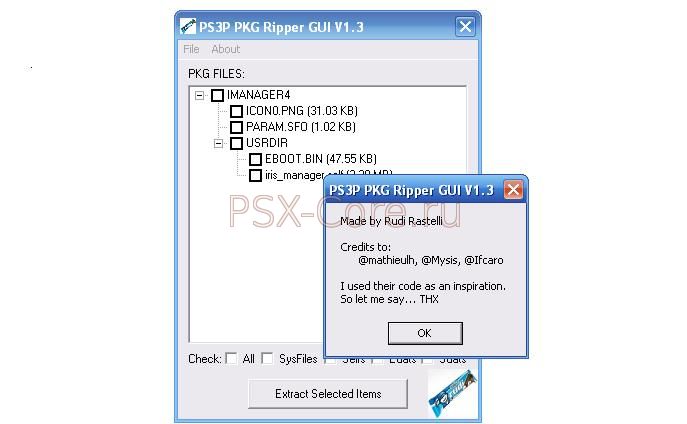
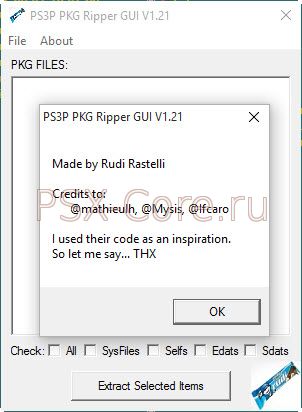
Новая версия PKG экстрактора файлов от Ifcaro.

Изменения в этой версии:
- добавлена поддержка архивов PSX/PSP - добавлен прогресс бар в панель задач Windows 7 |
Sony PS3 Generator Tools Version 3.12 - официальная утилита для работы с образами PS3 игр, умеет собирать образы, выполняет проверку правильности образа, редактирует SFO файлы, редактор файлов трофеев. В архиве приложен PDF на английском языке по работе с программой. 

|
Новая версия PKG экстрактора файлов от Ifcaro.
Изменения в этой версии: - FIX: Still failing to extract large files. - FIX: Structure parsing issues. - FIX: Other extraction issues. - More descriptive extraction window. - Optimized extraction of retail pkg. - Now creates an extraction log.
|
Обновление медиасервера PS3 Media Server 1.50.0 
Обновления в этой версии: - Backwards-incompatible API changes (for plugin developers/packagers) - see http://tinyurl.com/3qtgk5k for more details - Updated binaries build script to include Linux support (thanks, happy.neko!) - Updated OS X MPlayer to include fontconfig support - Language updates: Updated Bulgarian translation (thanks, JORDITO!) Updated German translation (thanks, smo!) Updated Dutch translation Clarified English language labels Speeds displayed in Mb/s instead of Kb/s - Added full featured IP filter with support for wildcards and ranges - Improved network interface choosing algorithm now skips virtual interfaces - Updated libraries (configuration, jgoodies and slf4j) - Detect file system changes runtime (adding/removing folders/files). - Updated JRE auto-download from 6u27 to 7u1 - Added option to create a desktop shortcut to the Windows installer - Renderer image improvements - Improvements to tab layouts - Maximum bandwidth setting works - Limit bandwidth to 110Mb/s by default which should solve a lot of "stuttering playback" reports - Recognise forced subtitles (thanks, ExSport!) - Updated MPlayer and MEncoder on Windows and OSX from Sherpya's old builds to SubJunk's new builds which fixes many playback issues, colour-conversion bugs and more (but possibly has drawbacks for some files, too) - Main (Status) tab displays a large tick when it's connected to a renderer instead of a PS3 or warning image - Updated MediaInfo to 0.7.51 from 0.7.47 - New natural sort option for file order: Alphanumeric (e.g. Season 2 before Season 10) - Always allow "Restart Server" button (#1186) - Updated FFmpeg for Windows to r31564 from r30656 - We now support Samsung AllShare, along with our existing support for Samsung WiseLink - Allow to configure subtitle color if using PMS in headless mode (#1280) |
Новая версия PKG экстрактора файлов от Ifcaro. Изменения в этой версии:
- пофиксена ошибка при извлечении больших файлов |
Окончательная версия PKG экстрактора файлов от Ifcaro. 
Изменения в этой версии: - FIX: PARAM.SFO doesn't appear - FIX: Emprty folders doesn't appear - Add support for retail pkg (thanks to Mathieulh's app). - Now accepts pkg files passed as parameter. - Added support to drag pkg files to the application. - Added Extract to source folder option - Added .pkg file association - Added Extract here at Windows' contextual menu
|
Программа для подготовки ROMов и обложек к ним для использования в MultiMAN 
Возможности программы: - Automatic ROM scanning for supported systems. - Support ROM recognition for: NES, SNES, Genesis, VBA (GB, GBC, GBA). - ZIP verification when needed, ensuring it contains a valid ROM. - Single ROM adding and removing from list. - Individual cover assigment feature for each listed ROM. - Ability to clear cover assigment for a selected ROM. - PNG and JPG covers support. - HQ Covers preview with proper Aspect Ratio calculation. - Automatic renaming of cover images to match the ROM sets. - Automatic generation of Covers .PKG files ready to be installed in the PS3 / multiMAN. - Automatic generation of ROMs .PKG files ready to be installed in the PS3 / multiMAN. - Project creation for each supported system. - Project saving and loading. - Detailed project information, with total ROMs, Covers and total size. - ROM existence verification when opening projects. - Shortcut keys for easier navigation and editing. - Options to configure each specific job. - Browse / Manage cover images without using Windows shell. - Unpack / decompress .PKG files without need of any external tool (ported from Fail0verflow GNU source) - Configure Covers directories for the supported systems (SNES, GENESIS, NES, VBA) - Search / Filter Covers list based on input text. - Browse / Manage ROMs without using Windows shell. - Search / Filter of ROMs at Project and ROMs tabs based on user text input. Изменения в этой версии: - Added feature to Search / Filter items at ROMs tab, now all list can be searched / filtered. - Fixed bug when scanning for ROMs if the first verified extension was not found, it would stop checking for other supported extensions.
* Thanks to 'sublimemovement' for reporting problems when scanning ROMs. |
Утилита для распаковки psarc файлов больше 4 GB. Позволяет запускать PS3 игры с такими файлами с внешнего HDD. В архиве версии с командной строкой и с графическим интерфейсом.

Инструкция по применению:
1. распаковываем нужную версию в отдельную папку (файлы zlib.net.dll и PSARC.exe) 2. берем нужный нам файл более 4 ГБ, для примера из \PS3_GAME\USRDIR\build\main\pak22.psarc (5 596 444 529 байт) 3. копируем этот файл в папку с утилитой 4. извлекаем из него файлы, просто перетаскивая файл на иконку PSARC.exe 5. теперь копируем папку pak22 в папку с игрой \PS3_GAME\USRDIR\build\main\ 6. после этого файл pak22.psarc можно удалить 7. копируем папку PS3_GAME с игрой на внешний USB HDD с файловой системой FAT32 в папку GAMEZ\Uncharted2\ 8. запускаем через ваш любимый бэкап менеджер игру и она должна заработать |
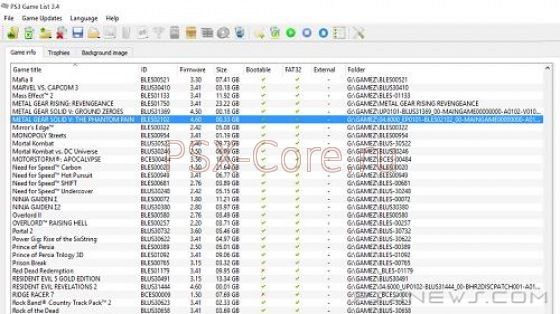
Обновление программы для работы с рипами PS3 игр на ПК. Позволяет удалять из бэкапа ненужные демки, музыку, видео, пустышки и ненужные языки.

|
|
|