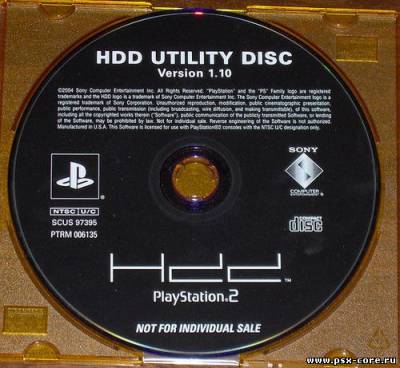
HDD Utility Disc is software to format a hard disk drive for use in a PlayStation 2 console. It only works with the official PlayStation 2 HDD unit. It makes the HDD appear in the PlayStation 2 Browser on the same screen that game discs, video DVDs, music CDs, and Memory Cards appear.
HDD Utility Disc's main feature is to allow creation of folders on the HDD to store game save files. If a folder named "Your Saves" is present on the HDD, games that support saving to the HDD and loading from it will use that folder. If that folder doesn't exist, the games will create it when attempting to save to the HDD. While many Japanese PlayStation 2 games support the HDD as a location to save and load game saves, support for that function of the HDD, and many others, were removed from nearly every North American release of those games during the time before the North American HDD release (ex. Xenosaga Episode 1, Dark Cloud 2, Kingdom Hearts, Final Fantasy X), and even a few games afterwards (ex. Star Ocean: Till the End of Time Director's Cut).
The only other feature of HDD Utility Disc is enabling launching of games installed to the HDD, though it can only do so if the game supports launching from the HDD, and most games that install to the HDD require being launched from the original disc as an anti-piracy measure.
HDD Utility Disc 1.00 was included with Japanese HDD units from mid-2001, when the HDD launched in Japan, until early 2002, when PlayStation Broadband Navigator replaced it.
HDD Utility Disc 1.10 was included with North American HDD units, which were released on March 23, 2004 as the Final Fantasy XI / HDD bundle, instead of North America getting a release of the current version of the PlayStation Broadband Navigator software. There appears to be no difference in functions between versions 1.00 and 1.10 of HDD Utility Disc.
Due to the HDD not being released in PAL regions, except in Linux Kits, there exists no version of HDD Utility Disc for PAL PlayStation 2 consoles.